Open the library
On Home, open Sensors and checks, then Add a check, or Browse all sensors. Pick the site if you have more than one.
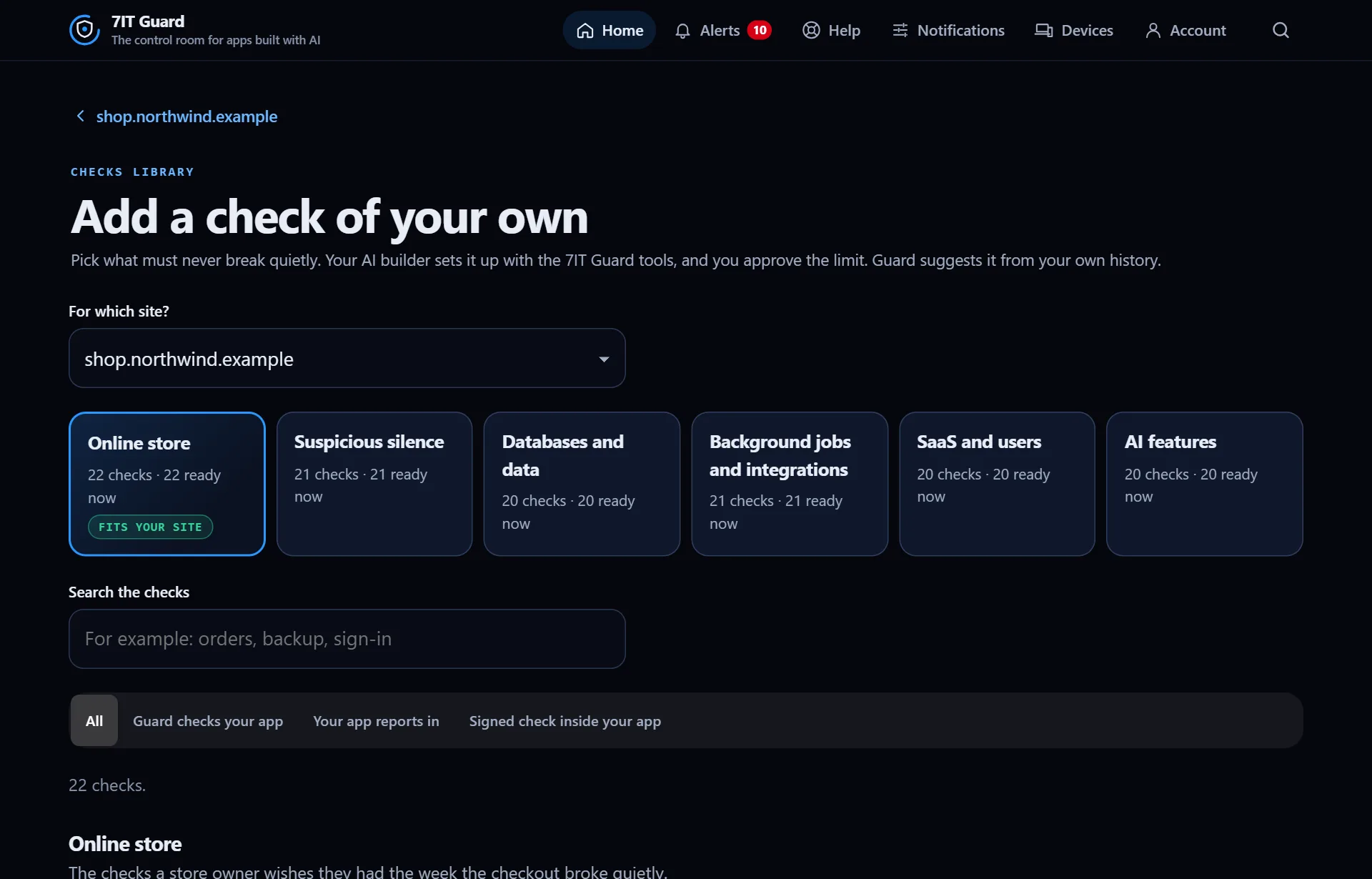
Find the right one
- Start with the category marked Fits your site.
- Or search in your own words: orders, backup, sign-in.
- Filter by how it connects: Guard checks your app, Your app reports in, or Signed check inside your app.
- Open What could happen on a card to see the situation it would have caught.
Three ways a check connects
- Guard checks your app: Guard calls a page or address on its own schedule. Nothing changes in your code.
- Your app reports in: your app sends a short check-in when something happens, like a new order. Silence for too long is the alert.
- Signed check inside your app: a small file in your app answers Guard with a number, signed so no one else can fake it. 7IT never receives a database password.
More in Checks of your own
Connect a check with your AITap Add with my AI on a check. One panel walks you through it, and the last step turns green by itself when the check is live.Read ›Your check's page: limit, test, pauseEach check has its own page with 90 days of history, its limit and every control in one place.Read ›
Open the Guard app
Sign in with your 7IT key, or prove your site is yours and watch one site at no cost.