Every screen of the Guard app, in plain words.
How to sign in, read your sites, fix what an alert found and add checks of your own. Each article shows the real screen.
Get started
Sign in, add your site and get alerts on your phone.
| Get started with the Guard app | The Guard app is the control room for apps built with AI. It watches your site from outside, all day, and tells you in plain words when something needs you. |
| Add a site and prove it is yours | Guard watches only sites whose owner proved they are theirs. It takes a few minutes, once per site. |
| Install the app and turn on notifications | Alerts reach your phone even when the app is closed. On iPhone and iPad they need the app on your Home Screen first. |
The control room
Read your sites at a glance, and know what each light means.
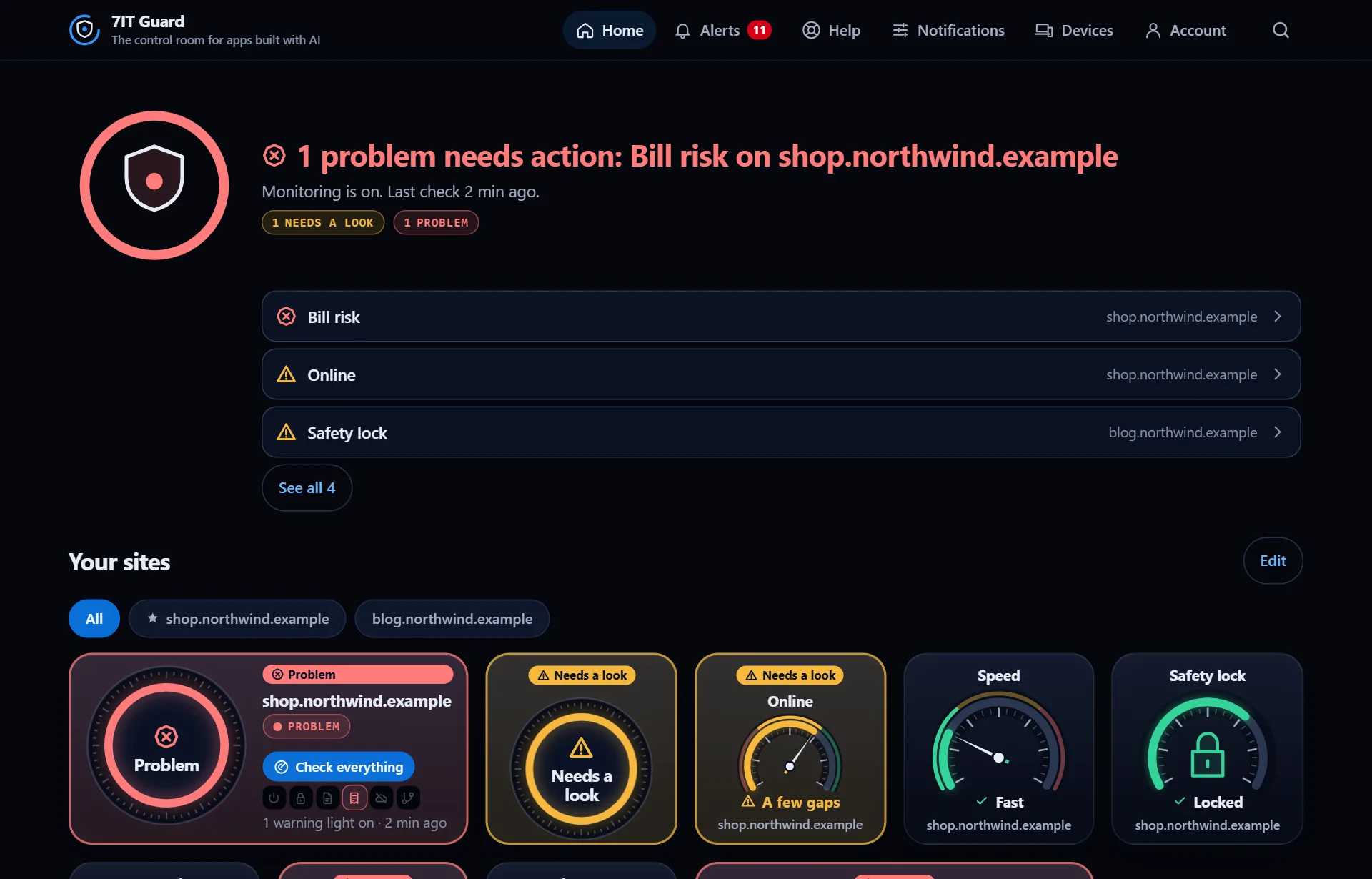
| Read the control room | Home answers one question in a second: does anything need you? Colors, shapes and words always say the same thing. |
| Your site's page | Every site has its own page with all its gauges, its warning lights and where it is checked from. |
| Alerts and the inbox | Every alert lands in the inbox for 90 days. Each message says what happened and what to do. |
Fix a problem
Plain steps for every alert, with a message ready for your AI builder.
| Fix a problem step by step | Every alert opens plain steps. Most fixes are one message to the AI builder that made your app. |
Checks of your own
Watch what must never break quietly: orders, sign-ups, jobs, payments.
| Find a check in the library | Checks of your own watch what matters to your business: new orders, sign-ups, a nightly backup, a payment service. They come with Guard Solo and Guard Pro. |
| Connect a check with your AI | Tap Add with my AI on a check. One panel walks you through it, and the last step turns green by itself when the check is live. |
| Your check's page: limit, test, pause | Each check has its own page with 90 days of history, its limit and every control in one place. |
Reports and account
Reports to share, your plan, your subscription and your devices.
| History and reports | Every site has charts and reports you can print, download, share or get on a schedule. |
| Your plan, subscription and devices | Account shows your plan and how much of it you use. Devices shows every phone and computer signed in. |
Inside your AI builder
Connect 7IT Guard to Lovable, Bolt or Replit once, then check your app from the chat before you publish.
| Connect 7IT Guard in Lovable | Add 7IT Guard to Lovable once as a connector, then ask in the project chat whether your app is safe to publish. |
| Connect 7IT Guard in Bolt | Add 7IT Guard to Bolt once as a custom connector, then ask in the chat whether your app is safe to publish. |
| Connect 7IT Guard in Replit | Add 7IT Guard to Replit once as an MCP server, then ask Agent whether your app is safe to publish. |
Open the Guard app
Sign in with your 7IT key, or prove your site is yours and watch one site at no cost.